archiveJun 6, 2020
How to Install the Burp Suite CA Certificate
Set Chrome to use Burp Suite as a proxy and install Burp's CA certificate as a trusted root so HTTPS interception works without certificate warnings.

Proxy setup
-
Chrome-focused setup (Chrome Settings → System)
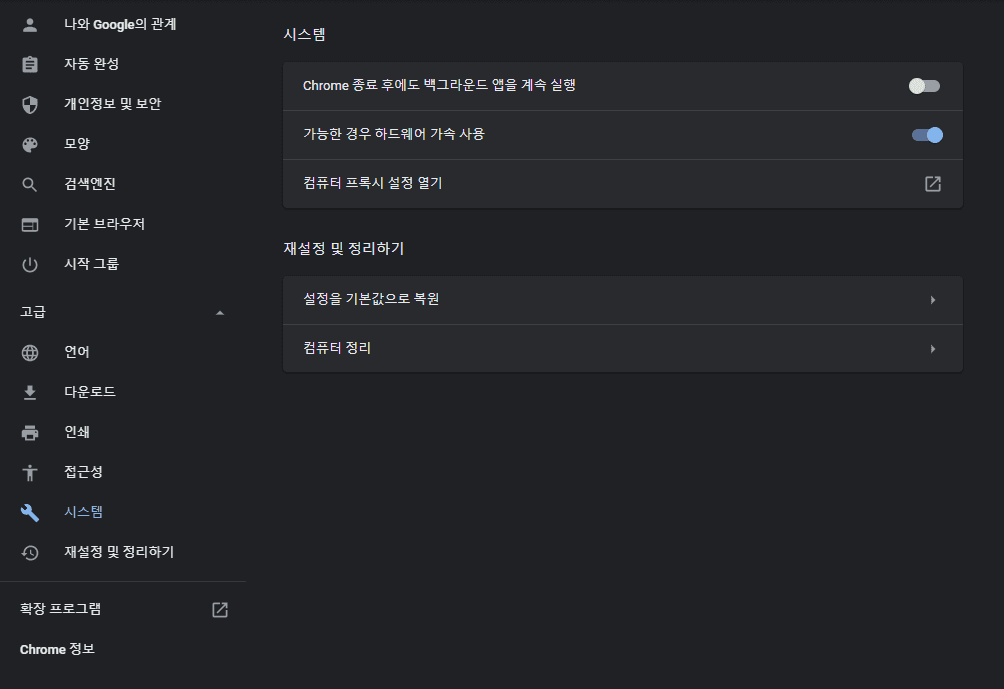
B1 -
Manual proxy settings
Use
127.0.0.1:8080by default.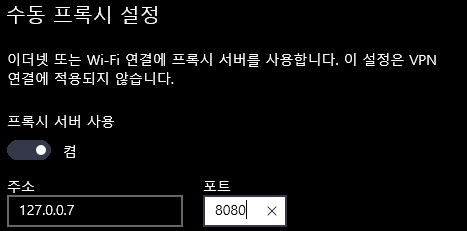
B2
Installing the Burp Suite CA certificate (Chrome)
When you browse HTTPS sites through Burp Suite, the proxy acts as a certificate authority. For each host it generates an SSL certificate signed with Burp's shared CA key.
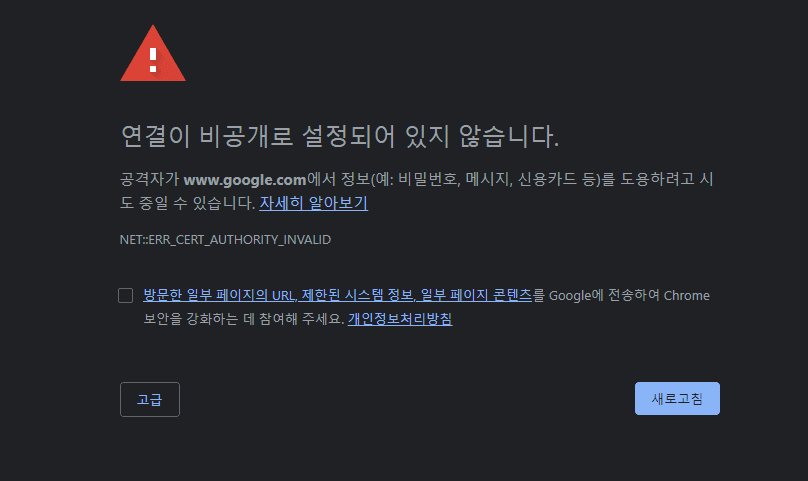
That CA material is written to the local environment the first time you start Burp. To use the Burp Suite proxy against HTTPS sites, you must install the Burp Suite CA certificate into the browser's Trusted Root Certification Authorities store.
Issuing and installing the Burp Suite CA certificate
Assume the local proxy already points at the Burp Suite proxy server.
- Download the Burp Suite CA
- Open Chrome and go to http://burp.
- On the Burp Suite page, click CA Certificate in the upper right.
- After download, the file lands in your Downloads folder.
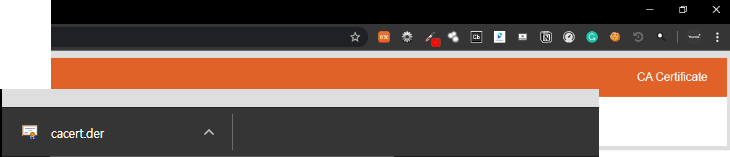
2. Install the Burp Suite CA on the local machine
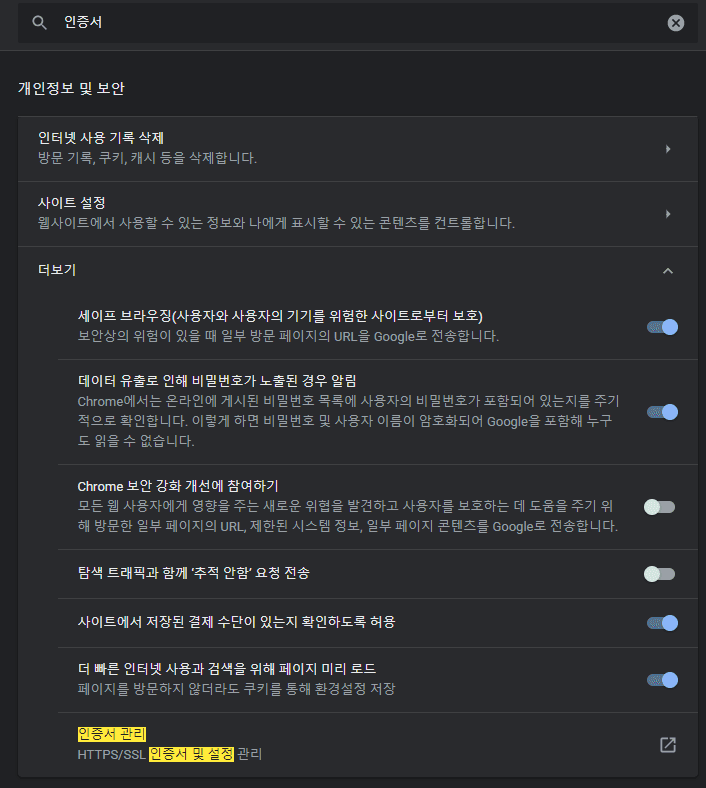
- Open Chrome settings, search for
certificate, and open Manage certificates at the bottom of the results.
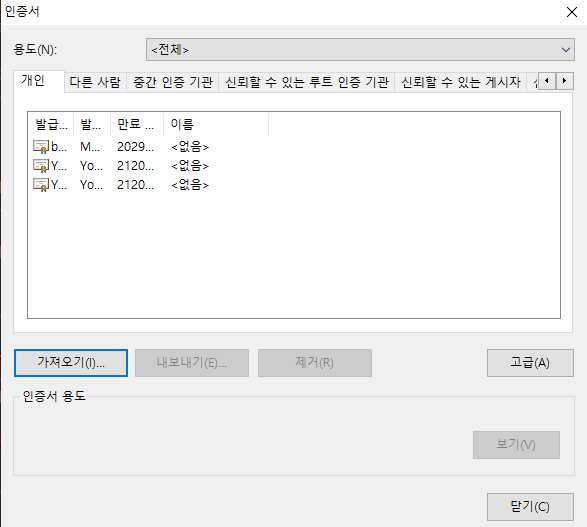
- The certificate list appears. Click Import to install the downloaded Burp Suite CA.
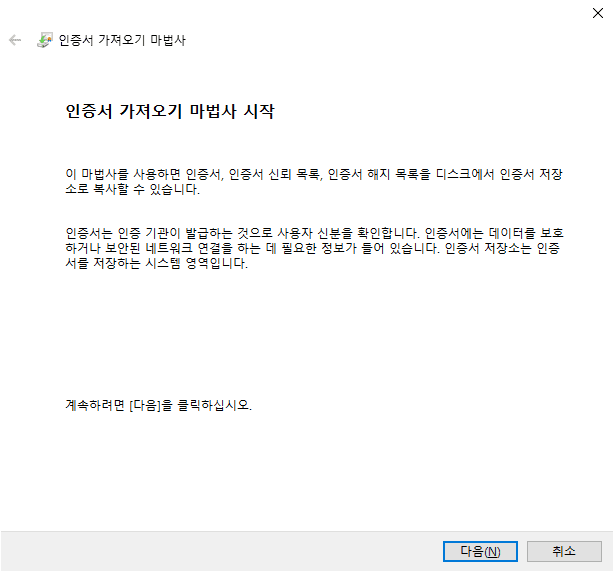
- The Certificate Import Wizard starts. Keep clicking Next.
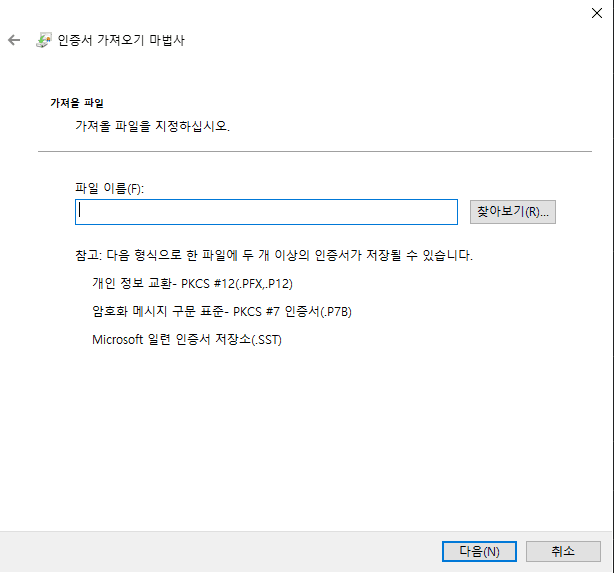
- Use Browse to load the Burp Suite CA from its saved path.
- Under Certificate Store, choose where the certificate should live.
- To put the Burp Suite CA in Trusted Root Certification Authorities, select Place all certificates in the following store, then click Browse.
- Pick Trusted Root Certification Authorities and confirm.
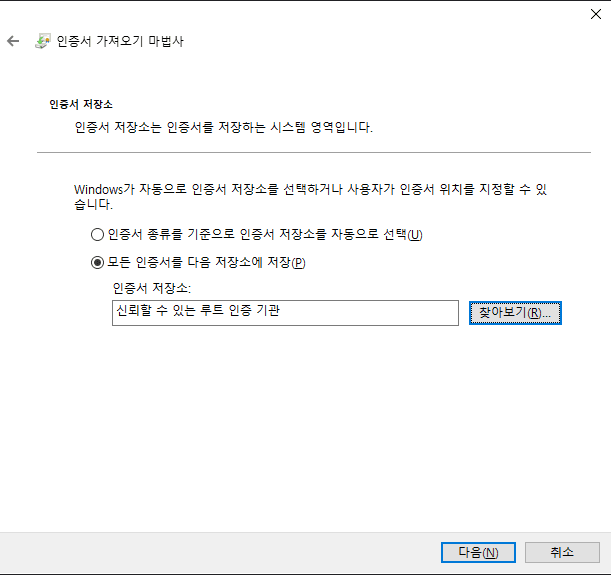
- Click Next, then Finish when the import completes.
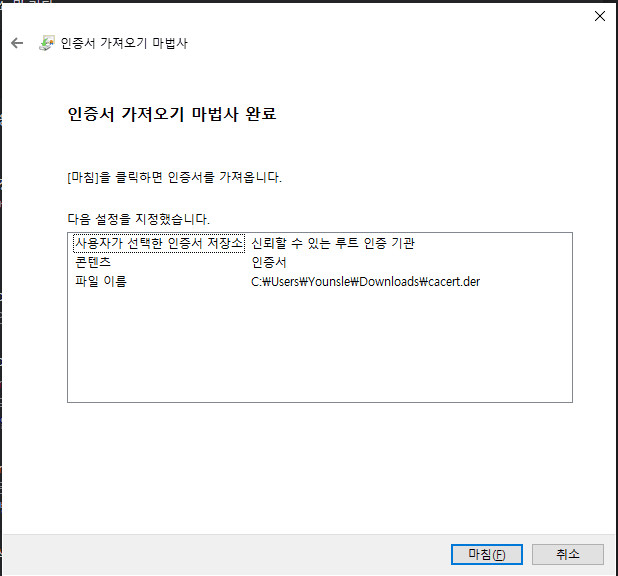
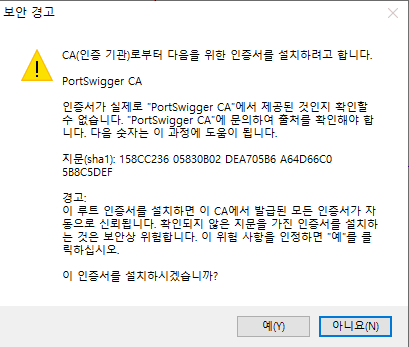
- After Finish, a security warning appears. Allow it only if you intentionally installed this CA for Burp.
- Once import finishes, the Burp Suite CA shows up under Trusted Root Certification Authorities.
- Certificate warnings for traffic through Burp should stop.
Reference Burp Suite Support Center